

Understanding Image File Formats for Web Performance
What is image file format? An image file format is a standardized way of storing digital images, defining how data is compressed and displayed. The format you choose directly impacts image quality, file size, loading speed, and whether your visuals support features like transparency or animation.
Quick Answer:
- Image file formats define how digital images are saved and displayed.
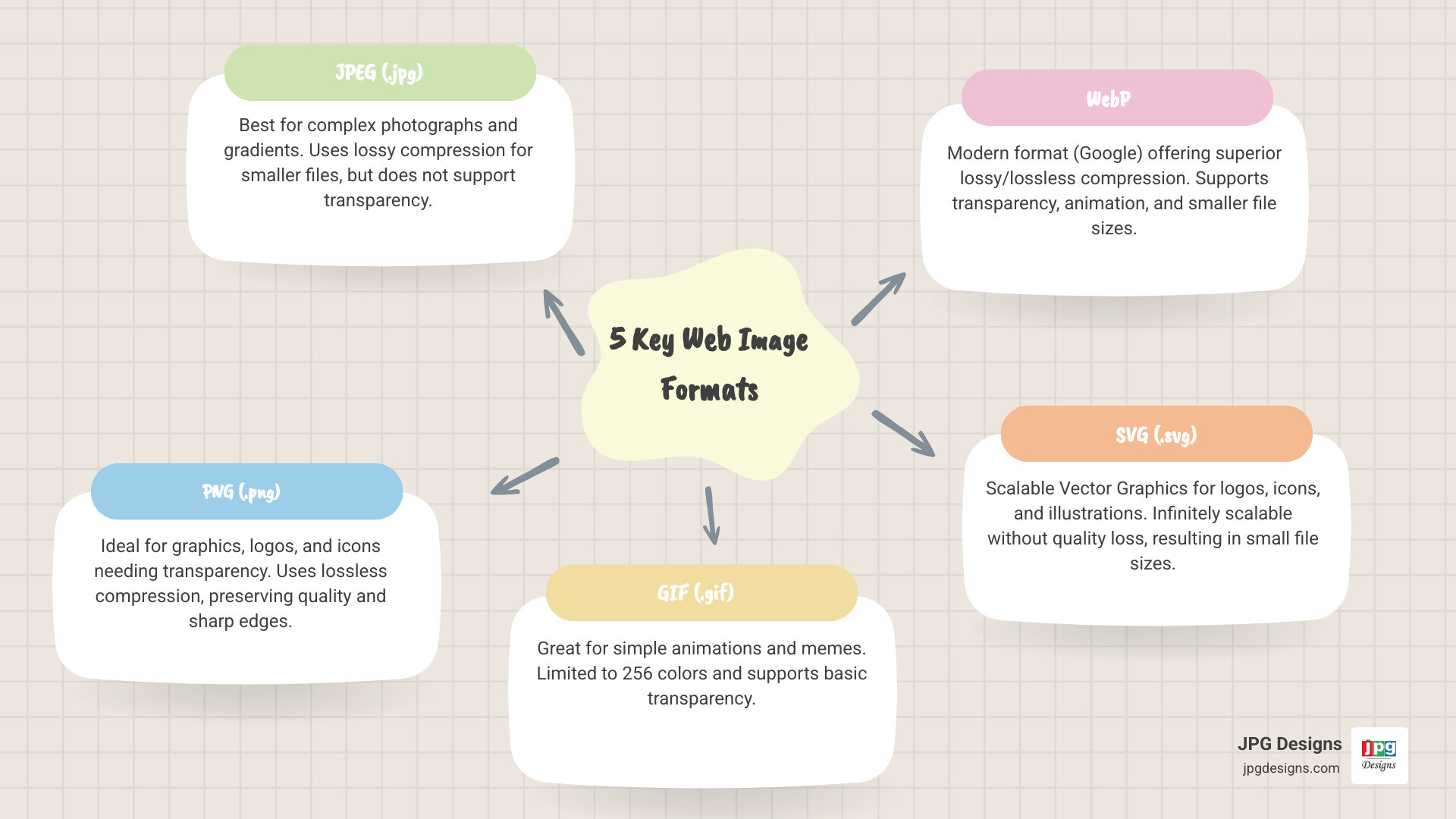
- Common types include JPEG (photos), PNG (graphics with transparency), GIF (simple animations), WebP (modern web images), and SVG (scalable graphics).
- Format choice affects website speed, visual quality, and user experience.
- The key decision is to balance file size for fast loading against quality for sharp visuals.
Choosing the right format is critical for business websites. The wrong choice leads to slow loading pages, frustrated visitors, and lost leads. The right choice delivers crisp visuals that load quickly, support your brand, and keep users engaged on mobile and desktop.
JPEG files use lossy compression to shrink photos, while PNG preserves every pixel for logos needing transparent backgrounds. GIF animates but is limited to 256 colors. Newer formats like WebP and AVIF compress even better, often cutting file sizes by 25–50% while maintaining quality. For a small business competing in Google results, understanding these differences helps you build faster websites that rank better and convert more visitors.
I’m Jeff Pratt, owner of JPG Designs, and for more than 15 years I’ve optimized thousands of images for clients, ensuring their websites load fast while looking professional. Knowing what is image file format and how each type performs has been essential to delivering sites that drive results, especially in today’s mobile-first world where every kilobyte counts.
The Foundation: Raster vs. Vector and Compression
Understanding the basic categories of image file formats is the first step to making informed decisions that protect your site’s performance. Most business owners feel the pain of slow pages but are not sure why images are to blame. We primarily deal with two main families of graphics: raster and vector.
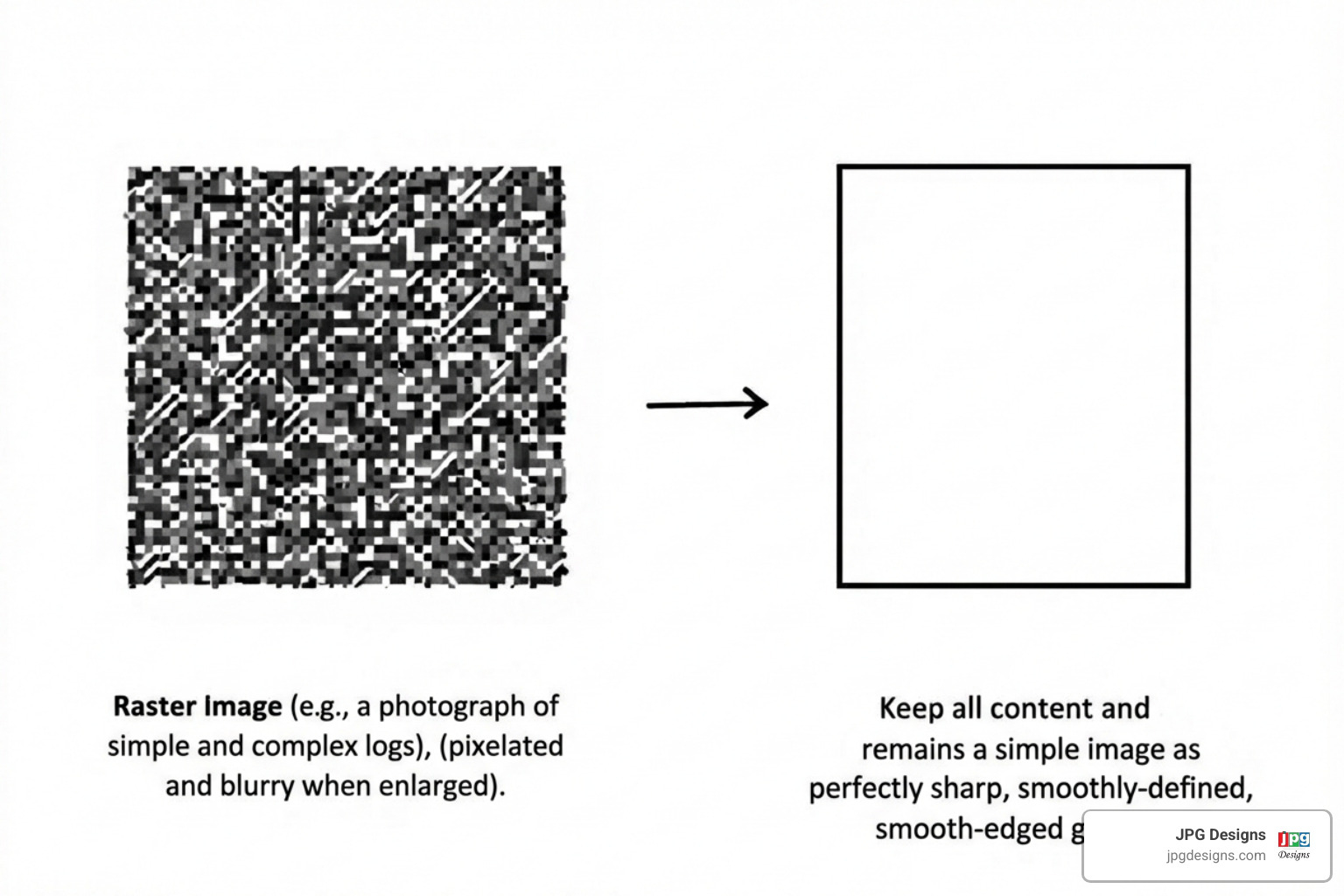
Raster images, or bitmap images, are made of a grid of colored squares called pixels. Photographs are a common example. The quality of a raster image depends on its resolution (measured in PPI or DPI). When you enlarge a raster image, the pixels become visible, causing a “pixelated” or blurry look. They look great at their original size or smaller but lose quality when scaled up.
Vector images are built from mathematical equations defining shapes, lines, and curves instead of pixels. This allows them to be scaled to any size, from a tiny icon to a massive billboard, without losing quality or sharpness. They are ideal for logos, illustrations, and graphics that need to be used in various sizes.
Image compression is the process of reducing an image’s file size, which directly impacts storage, bandwidth, and website loading speed. A smaller file size means faster download times, which is essential for a good user experience and better Google rankings.
Lossy vs. Lossless: The Quality vs. Size Trade-off
Choosing between compression strategies involves a trade-off between image quality and file size.
Lossy compression permanently discards some image data to achieve significantly smaller file sizes. This data cannot be recovered, and re-saving a lossy image can degrade its quality over time. JPEG is the most common lossy format, great for reducing the file size of photos, but repeated edits can introduce visual flaws.
Lossless compression reduces file size without discarding any original data. When the image is opened, it’s a perfect copy of the original. Formats like PNG and GIF use lossless compression. They create larger files than lossy formats but are essential for preserving every detail in logos, icons, or images with sharp text.
What is an image file format and how does it relate to compression?
An image file format is a container that dictates the compression algorithm (lossy or lossless), stores metadata (like creation date), and provides display instructions for browsers. Choosing JPEG means opting for lossy compression, while choosing PNG means lossless.
At JPG Designs, balancing quality and performance is key. We consider the image’s content, its intended use, and its importance to the user experience. This ensures our clients’ websites in Rhode Island and Massachusetts load quickly without sacrificing visual appeal, which is essential for SEO success and retaining visitors.
A Deep Dive into Common Raster Formats
This section explores the most frequently encountered image types, their strengths, and their weaknesses, so you can avoid slow-loading pages, blurry visuals, and wasted ad spend on traffic that bounces before a page finishes loading.
JPEG (.jpg, .jpeg): The King of Photos

JPEG (Joint Photographic Experts Group) is the world’s most commonly used image file format. It is the go-to choice for photographs and complex images with smooth color gradients. As a lossy format, JPEG excels at reducing file sizes by discarding visual information the human eye is less likely to notice.
You can adjust the quality level when saving to find a balance between file size and visual fidelity. Lower quality settings result in smaller files but more noticeable quality degradation, while higher quality settings preserve more detail but create larger files.
Advantages of JPEG:
- Small file size, which is excellent for web use and helps ensure fast loading times.
- Supports complex colors and handles millions of colors, making it suitable for realistic photographs.
- Widely compatible and supported by virtually all browsers and image editing software.
Disadvantages of JPEG:
- Lossy compression, so each save can further degrade image quality.
- No transparency support, meaning JPEGs always have a solid background.
- Not ideal for sharp lines or text, because compression can cause blurring around sharp edges.
For most photos on your website, JPEG is a practical choice, offering a strong balance of file size and quality for photographic content, which is crucial for good site speed.
PNG (.png): The Champion of Transparency
PNG (Portable Network Graphics) is a lossless image format that shines where transparency is required. Unlike JPEG, PNG supports a full alpha channel, allowing for sophisticated, partial transparency effects like smooth edges or semi-transparent overlays. This makes it useful for logos, icons, and graphics that need to blend into any background. PNG also supports up to 16 million colors, enabling rich graphics without loss of detail.
Advantages of PNG:
- Lossless compression, with no quality loss even after multiple saves.
- Supports transparency with a full alpha channel for advanced transparency.
- Excellent for sharp edges and text, ideal for logos, line art, and screenshots.
- Supports 16 million colors, providing rich color depth for detailed graphics.
Disadvantages of PNG:
- Larger file size than JPEG for photographs.
- No animation support in standard PNGs.
PNG works well for any website graphic that needs a transparent background or pixel-perfect clarity, such as custom logos for businesses in Rhode Island and Massachusetts.
GIF (.gif): The Original Animation Star
The Graphics Interchange Format (GIF) is widely known for creating simple animations. GIF files are relatively small and portable, which helped make them popular for web graphics and memes. A key characteristic of GIF is its limited 256-color palette, which makes it unsuitable for detailed photographs but workable for basic graphics and animations. GIF uses lossless compression within its palette.
GIF also supports basic transparency, allowing one color to be designated as transparent.
Specific Use Cases for GIF:
- Short, looping animations and simple moving graphics.
- Small, simple icons where a limited color palette is acceptable.
- Low-detail web graphics such as basic buttons or decorative elements.
Limitations of GIF:
- The 256-color limit harms the quality of photos or images with color gradients.
- No partial transparency, only full transparency, unlike the smooth alpha channel of PNG.
- Inefficient for complex animations; for anything beyond simple loops, modern video formats or animated WebP/AVIF are far more efficient.
GIF still has a niche for lightweight, simple animated content where file size and compatibility matter more than perfect quality.
Next-Gen Formats: WebP and AVIF
The push for faster websites has led to newer, more efficient image formats designed specifically for the web.
WebP, developed by Google, is a modern format offering strong compression for both lossy and lossless images. WebP images are generally smaller than comparable JPEG or PNG files while maintaining similar quality. Lossy WebP files are often 25–35% smaller than JPEGs, while lossless WebP files can be smaller than PNGs. WebP also supports animation and transparency, making it a versatile all-in-one format for the web.
AVIF (AV1 Image File Format) is a newer, royalty-free format that delivers high compression efficiency. In many cases, AVIF images can be significantly smaller than JPEGs of similar visual quality, according to comparisons like one from ctrl.blog. AVIF also supports HDR (High Dynamic Range), wide color gamut, and transparency, making it a powerful choice for high-quality web visuals.
Benefits of newer formats like WebP and AVIF for web performance:
- Smaller file sizes, which directly lead to faster page load times.
- Improved user experience, since visitors wait less for images to appear.
- Better SEO, as page speed is an important ranking factor for mobile-first indexing.
- Versatility, with support for lossy and lossless compression, transparency, and animation.
Browser support for WebP is now widespread, and AVIF support continues to expand. It is considered a best practice to use the HTML
Comparing Common Web Formats
Here’s a quick overview of the most common web image formats:
| Format | Best For | Compression | Transparency | Animation | Color Support |
|---|---|---|---|---|---|
| JPEG | Photographs, complex images | Lossy | No | No | Millions |
| PNG | Logos, icons, graphics with transparency | Lossless | Yes (Alpha) | No | Millions |
| GIF | Simple animations, small icons | Lossless | Yes (Basic) | Yes | 256 |
| WebP | All web images, photos, graphics, animations | Lossy/Lossless | Yes (Alpha) | Yes | Millions |
| AVIF | All web images (next-gen), photos, graphics | Lossy/Lossless | Yes (Alpha) | Yes | Millions (HDR, Wide Gamut) |
What is Image File Format? Exploring Professional and Vector Types
Beyond common web formats, specialized image file formats exist for professional design, printing, and graphics that need to scale perfectly. Using the wrong type here can result in blurry logos on print materials, color shifts in brochures, or oversized files that slow your website to a crawl.
Vector Formats: SVG and EPS
When graphics need to look sharp at any size, we use vector formats.
SVG (Scalable Vector Graphics) is an XML-based vector graphics format that stores images as a set of drawing commands. Because of this, SVGs are infinitely scalable without any loss of quality. They are suitable for:
- Logos that need to appear crisp across your website, social media, and print.
- Icons that must look sharp on high-resolution and mobile screens.
- Simple, geometric illustrations.
- Diagrams and charts where clarity and scalability are important.
SVGs also offer SEO benefits because their code can be read by search engines, and their small file sizes contribute to faster page loads.
EPS (Encapsulated PostScript) is another vector format, historically important in print design. While still used in professional printing, EPS has largely been superseded by the more versatile PDF format. It remains a common choice for exchanging vector art, especially with older design software.
High-Quality & Professional Formats: TIFF and RAW
For professionals who need to preserve maximum quality and flexibility, specific formats are essential.
TIFF (.tif, .tiff), or Tagged Image File Format, is a lossless compression format used for high-quality print graphics and archival purposes. TIFF files are often very large because they store image data without losing detail. They are commonly used for:
- Professional printing where the highest quality output is needed.
- Scanning to preserve every detail from scanned photos or documents.
- Archiving master copies of images where no data loss is acceptable.
Because of their large file sizes, TIFFs are not suitable for web use, as they would greatly slow down page loading.
RAW image files are unprocessed data directly from a camera’s sensor, like a digital negative. They contain a high amount of image data, offering professional photographers extensive editing flexibility over exposure, white balance, and color without prior compression artifacts.
- Unprocessed camera data, providing full control in post-processing.
- Maximum editing flexibility, allowing substantial adjustments without quality loss.
- Not intended for web use, as RAW files are large and require specialized software.
We advise photography clients in Rhode Island and Massachusetts to shoot in RAW, edit, and then export to optimized JPEGs or WebPs for use on the web.
What is an image file format for less common uses?
Other formats cater to specific niches or represent older technologies.
- BMP (Bitmap): An older format associated with Windows. BMP files are typically uncompressed and lossless, resulting in very large file sizes, so they are rarely recommended for web content.
- APNG (Animated Portable Network Graphics): An extension of PNG that supports high-quality animations with millions of colors and full alpha transparency. It is an alternative to GIF for more complex animated sequences, such as loading indicators or animated icons. APNG is one of the formats supported when creating animated stickers for Apple’s iMessage.
- HEIF/HEIC (High Efficiency Image File Format/High Efficiency Image Coding): A modern format that offers efficient compression compared to JPEG. It is the default for many Apple devices and can store single images or sequences. Because browser support is still evolving, conversion to JPEG or WebP is common for web use.
How to Choose the Right Image Format
Making the correct choice is a critical step in web design, directly impacting your site’s performance and visual appeal. Many business owners unknowingly upload huge, unoptimized images and then wonder why their site is slow or ranks poorly. The right formats help solve those problems by keeping pages lean and visuals sharp.
Web vs. Print: Understanding Color Models
Digital images use different color models depending on the final output.
- RGB (Red, Green, Blue): This is an additive color model for digital screens. It combines red, green, and blue light to create the colors you see on monitors and smartphones. All web images use the RGB color space. When optimizing images for a website for a business in Massachusetts, you will work in RGB.
- CMYK (Cyan, Magenta, Yellow, Black): This is a subtractive color model used for printing. It mixes these four ink colors to create hues on paper. Because CMYK has a smaller range of colors (gamut) than RGB, some vibrant screen colors cannot be perfectly reproduced in print. For brochures, business cards, or other print materials, your images must be in the CMYK model.
Formats like JPEG, PNG, and WebP are designed for RGB display. Professional formats like TIFF and PDF can support both RGB and CMYK, making them versatile for digital and print workflows. Using the wrong color model can lead to unexpected color shifts, like a vibrant website image looking dull in print.
A Practical Guide for Choosing Your Format
Use this quick guide to match common business needs with the right file type and avoid performance and quality issues:
- For website photos: Use JPEG or WebP/AVIF. JPEG offers a good balance of quality and size. For better performance, use WebP or AVIF with JPEG fallbacks, which is important for mobile-first websites and SEO.
- For logos and icons: Use SVG. Its vector nature means infinite scalability without blurring. If a raster format is necessary, PNG is the next best choice for its lossless quality and transparency support.
- For simple animations: GIF is an option for short, low-color loops. For higher quality and smaller file sizes, consider APNG or animated WebP/AVIF.
- For high-quality prints: TIFF is a professional standard. PDF is also useful for print-ready documents containing images. Ensure these files use the CMYK color model.
- For professional photo editing: Start with RAW files for maximum flexibility. Use TIFF for intermediate saves before exporting to a final web or print format.
Choosing formats this way helps solve common pain points such as slow pages, fuzzy logos, and inconsistent brand colors across web and print.
Frequently Asked Questions about Image File Formats
Which image format is best for a website?
There is not one single best format; it depends on the image’s purpose and your performance goals:
- For photographs, JPEG is common, but WebP or AVIF often provide better performance. Always provide JPEG fallbacks for older browsers.
- For graphics with transparency, PNG works well. For scalable logos and icons, SVG is ideal.
- For simple animations, GIF is still used, but consider APNG or animated WebP/AVIF for better quality and smaller file sizes.
The goal is to balance visual quality and file size to ensure your website loads quickly and provides a good user experience.
Can I convert a JPEG to a PNG?
You can convert a JPEG to a PNG using image editing software or online tools, but this will not restore any quality lost from the original JPEG compression. The new PNG will simply be a lossless copy of the already compressed JPEG. This conversion often results in a larger file size with no visual improvement.
Convert a JPEG to PNG only if you need to add transparency or integrate the image into a design where PNG is required.
Why is image file size important for SEO?
Image file size is critical for SEO because page speed is a Google ranking factor and a major driver of user satisfaction.
- Large images are a primary cause of slow websites.
- Slow loading times can contribute to lower rankings because Google prioritizes performance.
- Visitors are more likely to leave a slow site, increasing your bounce rate, which signals to search engines that your page may not be valuable.
- Google ranks sites based on their mobile version, where speed is even more important due to data limits and variable connections.
At JPG Designs, our mobile-first web design approach includes careful image optimization so that file sizes stay manageable and pages remain fast on all devices.
Conclusion: Optimizing Your Visuals for Success
Understanding what is image file format is a fundamental skill for web design and digital marketing. Choosing the right format is a balance of quality, file size, and function. Whether it is a photo of a Rhode Island landmark or a logo for a Massachusetts business, the format affects how quickly your pages load and how professional your brand looks online.
By knowing the differences between raster and vector, lossy and lossless, and formats like JPEG, PNG, WebP, and SVG, you can avoid common pain points such as sluggish pages, pixelated graphics, and inconsistent branding. An optimized site improves user experience and Google rankings, driving more traffic and better leads for your business.
At JPG Designs, we specialize in high-performing, mobile-first websites where image optimization is a core part of our process. We ensure every image supports speed and visual appeal, helping your business stand out in the digital landscape.
Contact us today to see how we can transform your online presence.