
What Is Web Design? (And Why It Matters for Your Business)
What is web design? is one of the most searched questions by business owners trying to understand their online presence. Here’s the short answer:
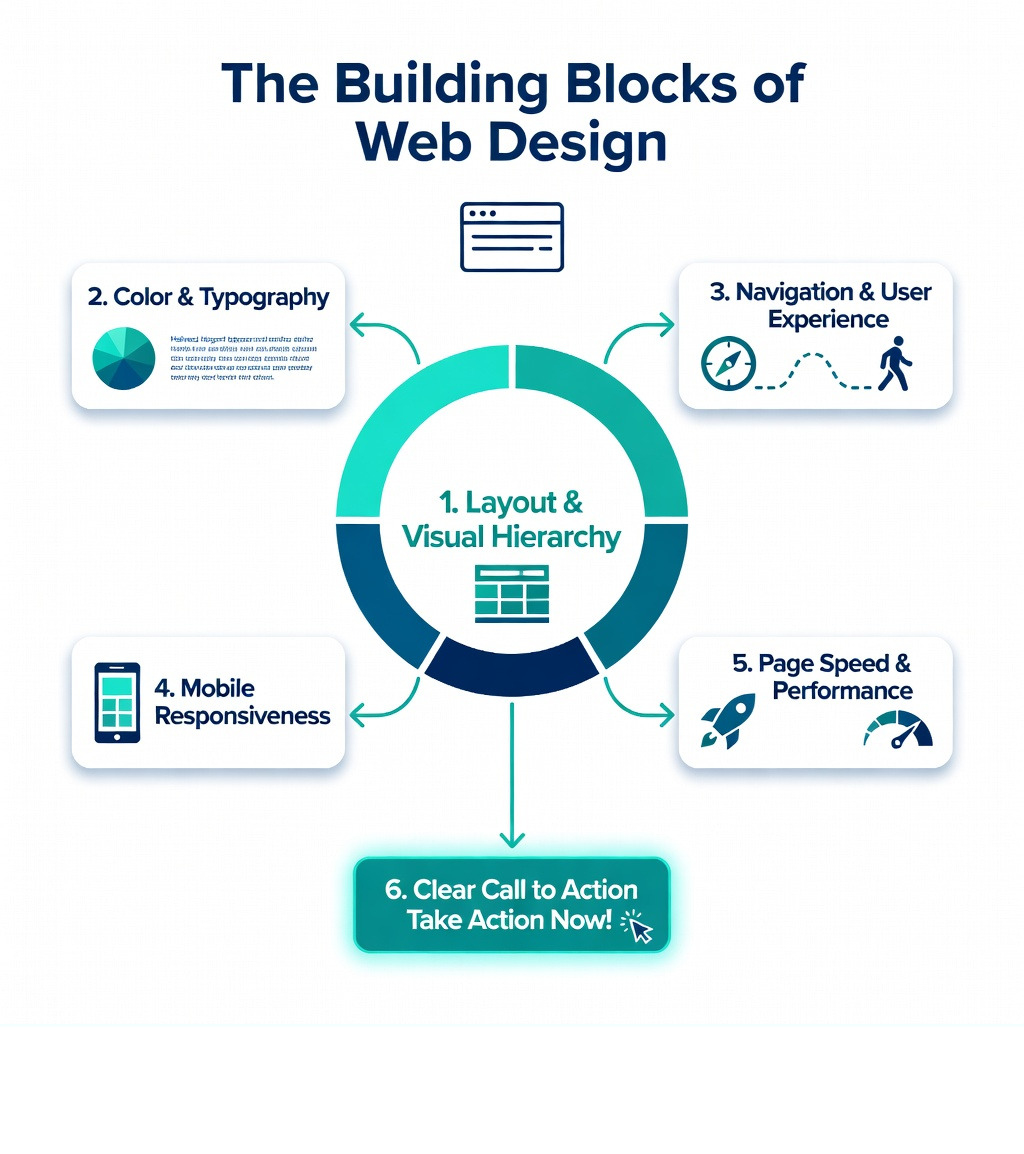
Web design is the process of planning, creating, and arranging the visual and functional elements of a website — including layout, colors, typography, images, and navigation — so that visitors can find what they need easily and take action.
At a glance:
- What it covers: Layout, color, fonts, images, navigation, and user experience
- Who it’s for: Any business or individual with an online presence
- Why it matters: Your website is often the first impression a customer has of your business
- Key goal: Guide visitors toward a clear action — a call, a purchase, a sign-up
- What it’s not: Web design is not the same as web development (more on that below)
Think about the last time you landed on a website that felt confusing, slow, or outdated. Chances are, you left within seconds. That’s web design — or rather, the lack of it — directly affecting a real business.
Your website is your digital storefront. It works 24/7. It speaks before you do. And for most of your potential customers, it’s how they decide whether to trust you.
A poorly designed site doesn’t just look bad. It costs you leads, customers, and revenue.
I’m Jeff Pratt, owner of JPG Designs, and over the past 15+ years I’ve helped hundreds of businesses answer the question “What is web design?” — not just in theory, but by building websites that actually drive growth. In the sections below, I’ll walk you through everything you need to know, from the basics to the strategies that separate a pretty site from a high-performing one.
What is web design? word roundup:
What is Web Design?
When we dive deeper into the question, What is web design?, we have to look past just “making things look pretty.” While visual aesthetics are a huge part of the puzzle, the core of professional Web Design is functional planning. It is the art of arranging content so it can be accessed, understood, and enjoyed by users across the globe.
At its heart, web design is a multi-disciplinary field. It combines elements of graphic design, user interface (UI) design, and user experience (UX) design.
- User Interface (UI): This is the “look” part. It includes the buttons you click, the text you read, the images you see, and the layout of the page. It’s about the specific touchpoints a user interacts with.
- User Experience (UX): This is the “feel” part. It’s the logic behind the design. Is the navigation intuitive? Does the site load quickly? Does the user feel satisfied or frustrated after visiting?
We like to think of a website as a living document. Unlike a printed brochure, a website is interactive. It needs to adapt to different screen sizes, respond to clicks, and guide a user through a journey. Whether we are designing for a local contractor in Rhode Island or a professional service firm in Massachusetts, our goal is the same: to create a digital environment where the brand’s message and the user’s needs meet perfectly.
The Difference Between Web Design and Web Development
One of the most common points of confusion for our clients is the difference between a designer and a developer. While these roles often overlap — especially in modern “full-stack” environments — they are distinct disciplines.
Think of it like building a house. The web designer is the architect and the interior designer. They decide where the windows go, what color the walls should be, and how the flow of the room should feel. The web developer is the structural engineer and the builder. They lay the foundation, run the plumbing, and ensure the lights turn on when you flip the switch.
| Feature | Web Design | Web Development |
|---|---|---|
| Focus | Visuals, Layout, UX/UI | Logic, Functionality, Performance |
| Tools | Figma, Photoshop, Sketch | HTML, CSS, JavaScript, PHP, Python |
| Output | Wireframes, Mockups, Prototypes | Live Code, Databases, APIs |
| Goal | Engagement, Brand Identity | Stability, Speed, Security |
In our Web Design and Development Services, we bridge this gap. A designer creates the visual assets and the user flow, while the developer uses coding languages to turn those static images into a working website. Front-end development handles what the user sees (the “client-side”), while back-end development handles the server, database, and logic (the “server-side”).
Core Principles of “What is Web Design?”
To create a site that actually converts, we follow the 7 Principles of Website Design That Drives Sales. These aren’t just suggestions; they are the laws of the digital jungle.
- Visual Hierarchy: Not all information is created equal. We use size, color, and placement to tell the user’s eye what to look at first. Your “Buy Now” button should stand out more than your “Privacy Policy” link.
- White Space (Negative Space): Beginners often try to fill every inch of a screen. We use white space to give the content room to breathe. It reduces cognitive load and makes the site feel premium and organized.
- Typography: The fonts we choose speak volumes about your brand. Serif fonts might convey tradition and trust, while sans-serif fonts feel modern and approachable. Legibility is always our top priority.
- Color Theory: Colors evoke emotions. We use a limited, cohesive color palette to reinforce brand identity. For example, blue often signals trust, while red can create a sense of urgency.
- Balance and Alignment: Whether a design is symmetrical (formal) or asymmetrical (dynamic), it needs to feel balanced. Elements shouldn’t feel like they are “floating” without a purpose.
- Emphasis: We use contrast to create focal points. If everything is bold, nothing is bold.
- Unity: Every page on your site should feel like it belongs to the same family. Consistency builds trust.
The Evolution of Web Design: From Tables to AI
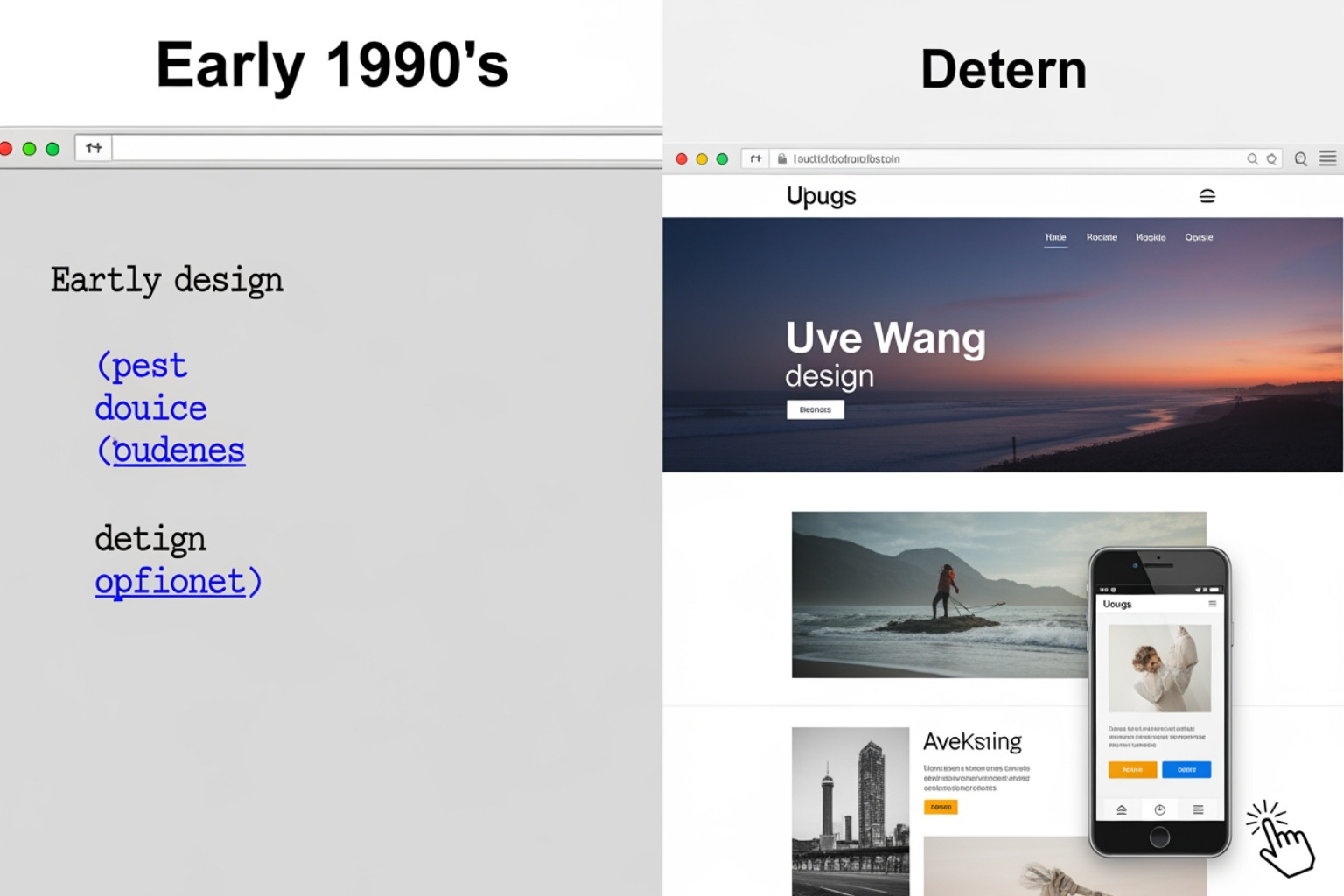
The history of web design is a wild ride of technological leaps.
- The Early Days (1991-1994): The very first website went live at CERN in 1991. It was entirely text-based with blue hyperlinks. There were no images, no colors, and certainly no “mobile-first” layouts.
- The Table Era (Mid-90s): Designers started using HTML
- The Flash Era (Early 2000s): Suddenly, everything was moving. Flash allowed for complex animations and music, but it was a nightmare for SEO and didn’t work on the upcoming iPhone. By 2001, Internet Explorer had reached 96% usage share, marking the end of the first “browser wars.”
- The Responsive Revolution (2010-2015): With the explosion of smartphones, we had to stop designing for just “desktop.” Responsive design — sites that fluidly change shape based on the screen — became the industry standard.
- The Modern Era (2020-2025): Today, we use advanced tools like CSS Grid and Flexbox. We are also seeing a massive shift toward AI-assisted design. Tools like ChatGPT and AI image generators are helping us brainstorm faster, though the human touch remains essential for true brand strategy.
Why Mobile-First Design is the Standard for “What is Web Design?”
If you take only one thing away from this guide, let it be this: Mobile-first design is no longer optional.
Statistics show that more users browse on mobile devices than on desktops today. In fact, mobile devices account for over half of all global internet traffic. This shift, fueled by the advancement of 3G, LTE, and now 5G, has changed the way we build.
At JPG Designs, we specialize in Responsive Web Design. Google now uses “mobile-first indexing,” which means it looks at the mobile version of your site to decide where you should rank in search results. If your site looks great on a laptop but is a jumbled mess on an iPhone, your rankings will suffer.
We also focus heavily on Core Web Vitals. These are specific speed and usability metrics that Google uses to measure user experience. A mobile-first approach ensures that your site is lightweight, fast-loading, and easy to navigate with a thumb, not just a mouse.
Essential Tools and the Design Process
How do we actually get from a blank screen to a “Perfection” level website? We follow a rigorous planning and preparation process.
- Discovery Phase: We start by understanding your audience. We create buyer personas to figure out what your customers actually want.
- Wireframing: Before we add color, we create a skeleton of the site. This allows us to focus on the “Information Architecture” — where things go and why.
- Prototyping: We use tools like Figma to create interactive mockups. This lets you “click through” the site before a single line of code is written. It’s a great way to catch UX issues early.
- UI Design: This is where we add the “skin” — the colors, fonts, and images that bring your brand to life.
- Development: Our developers take the Figma files and turn them into a living, breathing website using clean, semantic code.
- Testing: We test the site on every browser (Chrome, Safari, Firefox) and every device to ensure a consistent experience.
- Launch and Maintenance: A website is never “done.” We monitor it for bugs, update plugins, and ensure it stays secure.
Professional designers use a suite of tools. While Figma is our go-to for collaboration, we still rely on Photoshop for high-end image editing and Sketch for specific UI elements.
Common Mistakes and SEO Impact
We’ve seen it all — from garish neon backgrounds to buttons that go nowhere. Avoiding these website design dos and donts is critical for your bottom line.
- Slow Load Speeds: Studies show a 38% rise in bounce rates when a webpage’s loading time surpasses just 3 seconds. If your site is slow, people leave. Period.
- Poor Navigation: If a user has to hunt for your contact page, they won’t. We keep menus simple and intuitive.
- Ignoring SEO: Design and SEO are linked. We ensure every image has “alt text” (descriptions for search engines and the visually impaired) and that your site structure makes sense to Google’s bots. To learn more, check out What is SEO and how it works for small businesses?.
- Lack of Accessibility: A good design is inclusive. We ensure high color contrast for those with visual impairments and keyboard-friendly navigation for those who can’t use a mouse.
- Auto-playing Media: Never, ever have music or videos start playing automatically with sound. It’s the fastest way to get someone to close your tab.
Mastering the Digital Storefront
At the end of the day, answering the question “What is web design?” comes down to one thing: results. A beautiful website that no one can find is a wasted investment. A fast website that looks unprofessional is a missed opportunity.
At JPG Designs, we combine the art of visual storytelling with the science of Digital Marketing Services. We don’t just build sites; we build “Digital Storefronts” that are optimized for Google rankings and conversion. By leveraging our expertise in mobile-first indexing, we ensure your business stands out in the crowded markets of Rhode Island and Massachusetts.
Whether you’re a small business in Providence looking for a RI Website Designer or a growing firm in Boston needing a complete digital overhaul, we are here to help. We focus on the pixels so you can focus on your perfection.
Ready to turn your website into a lead-generating machine? Let’s build something great together.
Quick Links for Your Journey: