
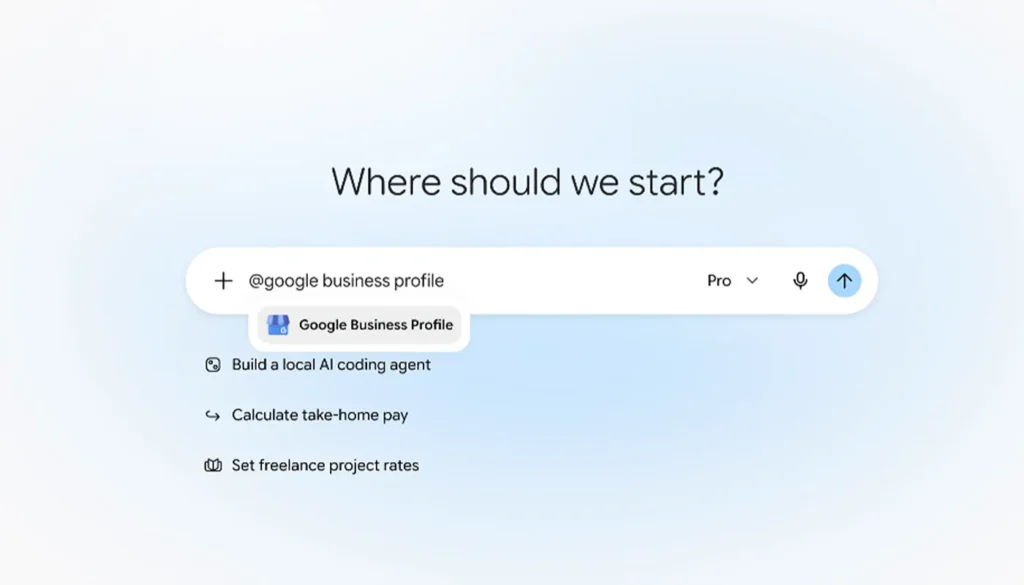
Yes, you can now manage your Google Business Profile from Gemini, Google’s AI assistant. Google launched it on June 10, 2026 for single-location businesses. It added support for multi-location businesses on August 7, 2026. Gemini writes drafts and suggests updates, and nothing goes live until you approve it.
What It Can Do
You can ask Gemini to help you change your profile, and it will draft the edits for you. You review each one before it publishes. Reports say the changes use Google’s official Business Profile tools and carry the same checks as edits you make by hand. It is free on all Gemini accounts.
If you have more than one location, you can now work on all of them, since the August update. That can save time for businesses with several shops or offices.
What It Cannot Do Yet
There is one big catch. It works only with personal Gmail accounts right now, not Google Workspace accounts. Many businesses and most agencies use Workspace, so this limits who can use it. Google may add support later, so check for updates.
Gemini also cannot know your business as well as you do. It can suggest a wrong hour, service, or category. That is why the review step matters.
Before You Use It
- Find out which Google account owns your profile. If it is not a personal Gmail, this feature may not work for you.
- Read every draft slowly, especially your hours, phone number, and categories.
- Save a copy of your old details, in case you need to switch back.
- Do not paste private customer information into any AI tool.
For a full walk through of your profile settings, read our guides on setting up and optimizing your profile and how to optimize your Google My Business profile.
Conclusion
Gemini can help you draft Business Profile updates, but you stay in charge because nothing publishes without your approval. It works only with personal Gmail accounts for now, so check your setup first. If an agency manages your profile, ask how they will handle this change. We are happy to help, so contact JPG Designs with your questions.