

Why Event Registration Forms Are Your Event’s Digital Front Door
Event registration forms are the digital gateway to your event. More than just data collection tools, they’re your first impression, the attendee onboarding experience, and the foundation of your event management process. A poorly designed form can derail registrations before they start, with lengthy questionnaires or slow pages driving potential attendees away. In contrast, a clean, simple, mobile-friendly form sets a positive tone and builds immediate trust.
Quick Answer: What Makes an Effective Event Registration Form?
An effective event registration form should:
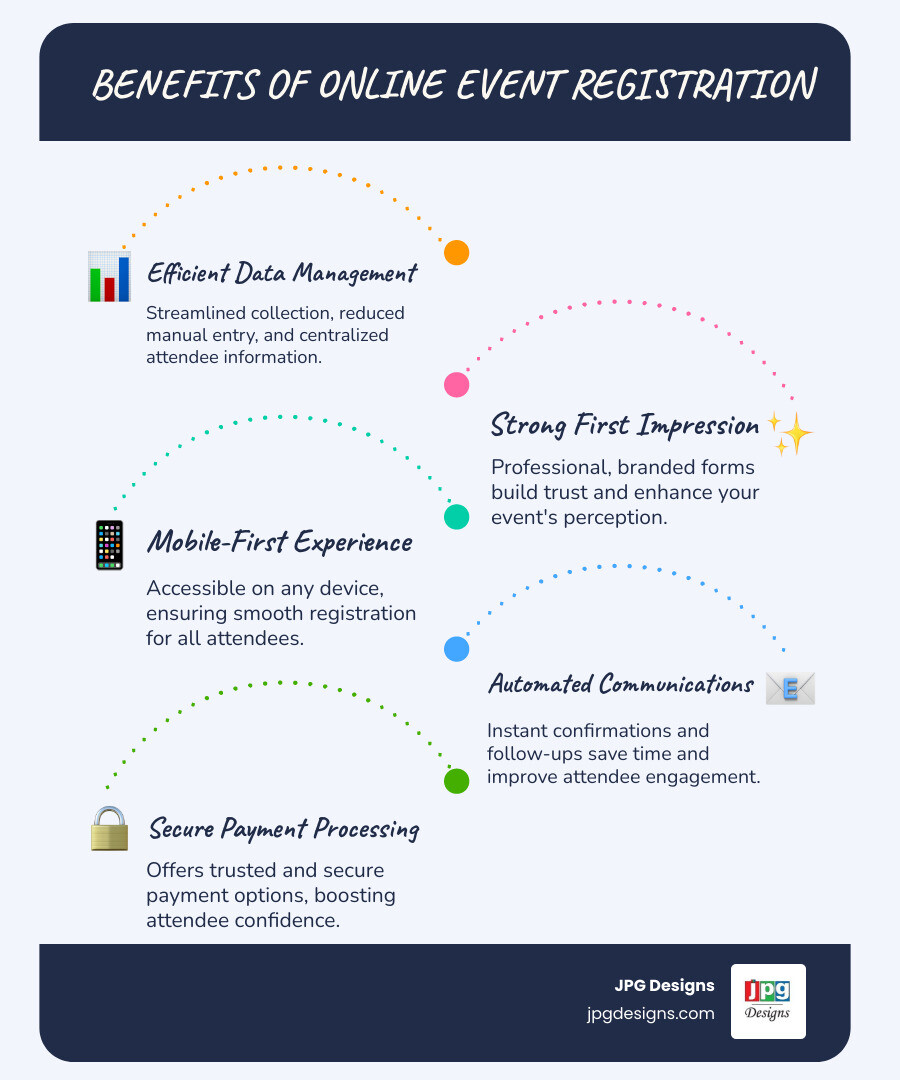
- Collect essential attendee information (name, email, contact details, payment if needed)
- Load quickly and work seamlessly on mobile devices
- Ask only relevant questions to minimize drop-off
- Provide secure payment options with embedded checkout
- Match your event’s branding for a professional appearance
- Automate confirmations and follow-up communications
The main challenge for event organizers is that manual registration is time-consuming and error-prone. Research shows every additional step in a registration form causes a 10% drop in completed registrations—a significant loss for any event.
Beyond just names and emails, these forms are your central hub for understanding your audience. You can gather dietary restrictions, session preferences, and payment information in one place. This data helps you plan better and personalize the experience.
I’m Jeff Pratt, owner of JPG Designs, and I’ve spent over 15 years helping businesses streamline their digital systems—including designing high-converting *event registration forms that reduce administrative headaches and increase sign-ups.* Whether you’re hosting a conference, workshop, or fundraiser, the principles are the same: keep it simple, secure, and mobile-optimized.
Why a Great Form is Your Event’s First Win
Think about the last time you tried to register for an event. If the form was confusing or slow, you probably thought twice. Your registration form is your digital handshake, the first chance to show attendees what kind of experience they can expect. A well-designed form makes a strong impression and becomes your command center for gathering attendee information, saving you from wrestling with spreadsheets.
The connection between your registration process and brand presence is strong. Just as your website is your business’s digital foundation, your registration form is the gateway to your event.
How to Boost Your Brand Identity
True Value of Website for Small Business
The Power of a Positive First Impression
Your event registration forms are where first impressions happen, long before anyone enters your venue. A clean, professional form signals competence and builds trust. It tells attendees that if you care about the registration experience, you care about the event itself.
Conversely, a cluttered or slow form raises red flags. Unclear instructions or security concerns make people nervous. In a world of short attention spans, even minor friction can send a potential attendee clicking away. The difference often comes down to user experience: does it load quickly, is it easy to understand, and does it work on a phone? These are essentials for getting people excited about your event.
Gathering Actionable Attendee Data
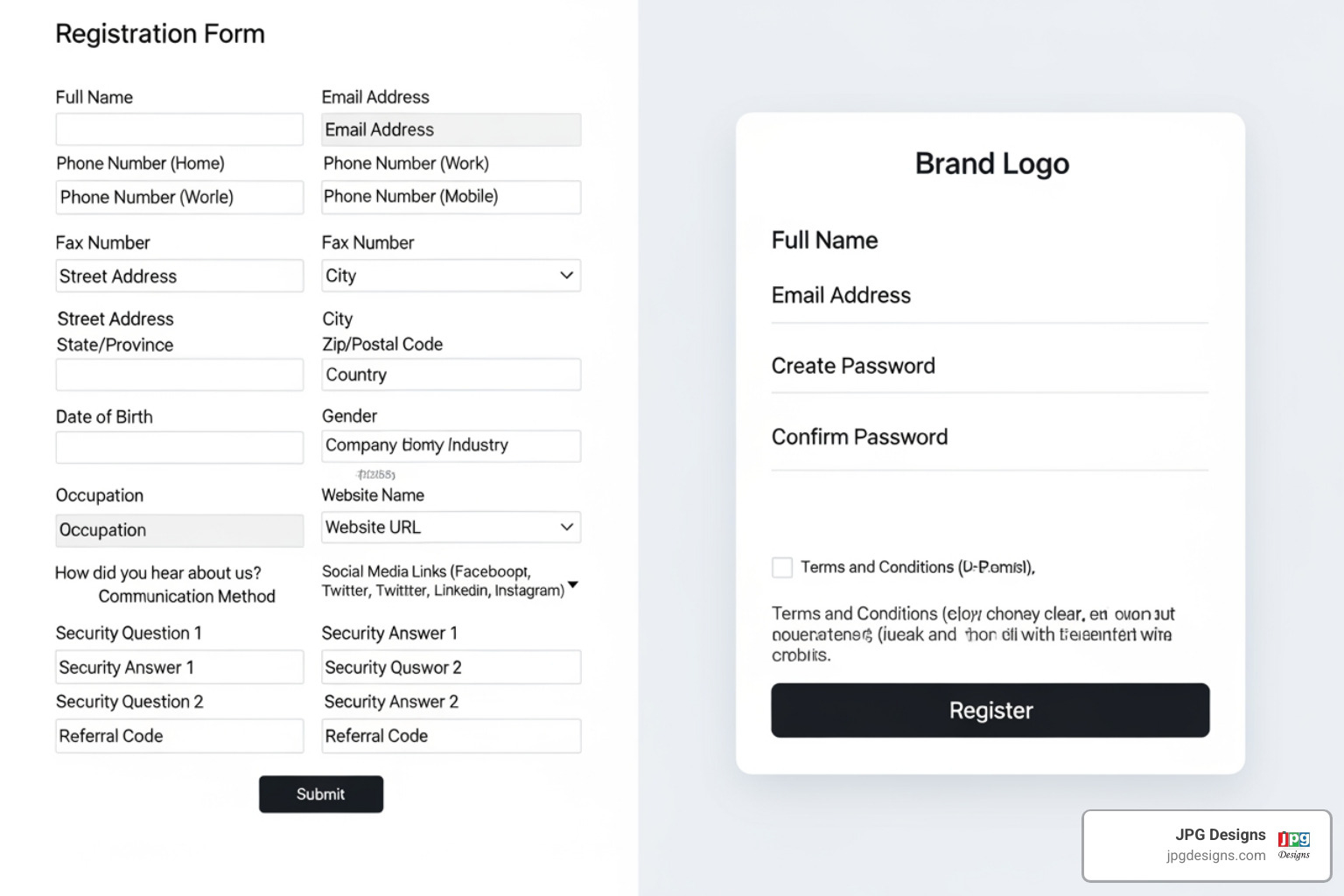
Event registration forms are powerful tools for understanding who is coming to your event and what they need. The right questions provide insights that transform your planning.
- Dietary needs: Order the right amount of vegetarian or gluten-free meals.
- Session preferences: Book the right-sized rooms for popular workshops.
- Accessibility requirements: Ensure everyone can participate fully.
You can also gather demographic information for future marketing or ask about specific interests to personalize the event. This data is invaluable for logistics and personalization, eliminating last-minute scrambling. The information also aids post-event marketing, allowing for targeted follow-ups and helping you build a stronger community. Analyzing how people interact with your forms—where they drop off or hesitate—provides insights to optimize for better conversion rates, much like tracking website behavior improves overall performance.
Everything You Need to Know About Google Analytics
Designing High-Converting Event Registration Forms
The goal is simple: get people to complete your event registration forms. Every unnecessary click or slow-loading page costs you registrations. Research shows that even a 0.1-second delay can impact conversion rates. Speed and simplicity can make or break an attendee’s decision.
At JPG Designs, we create event registration forms that convert by focusing on a user-centric approach. We design around common pain points to build forms that are simple, mobile-first, and lightning-fast.
Keep It Simple and Focused
If you click to register for an event and face 20 questions, you’ll likely close the tab. Research shows every additional step in your registration process can cause a 10% drop in completed registrations.
The solution is to ask only for what you absolutely need. A simple webinar might only require a name and email. A multi-day conference needs more, but you can still make it manageable. For longer forms, break them into multiple steps with a clear progress bar (e.g., “Step 1 of 3”). This creates an achievable journey and keeps people moving forward. We apply the KISS principle—Keep It Simple, Stupid—to respect your attendees’ time and increase completions.
Website Design Using the KISS System: Keeping It Simple, Stupid
5 Ways to Decrease Your Bounce Rate
Accept a Mobile-First Design
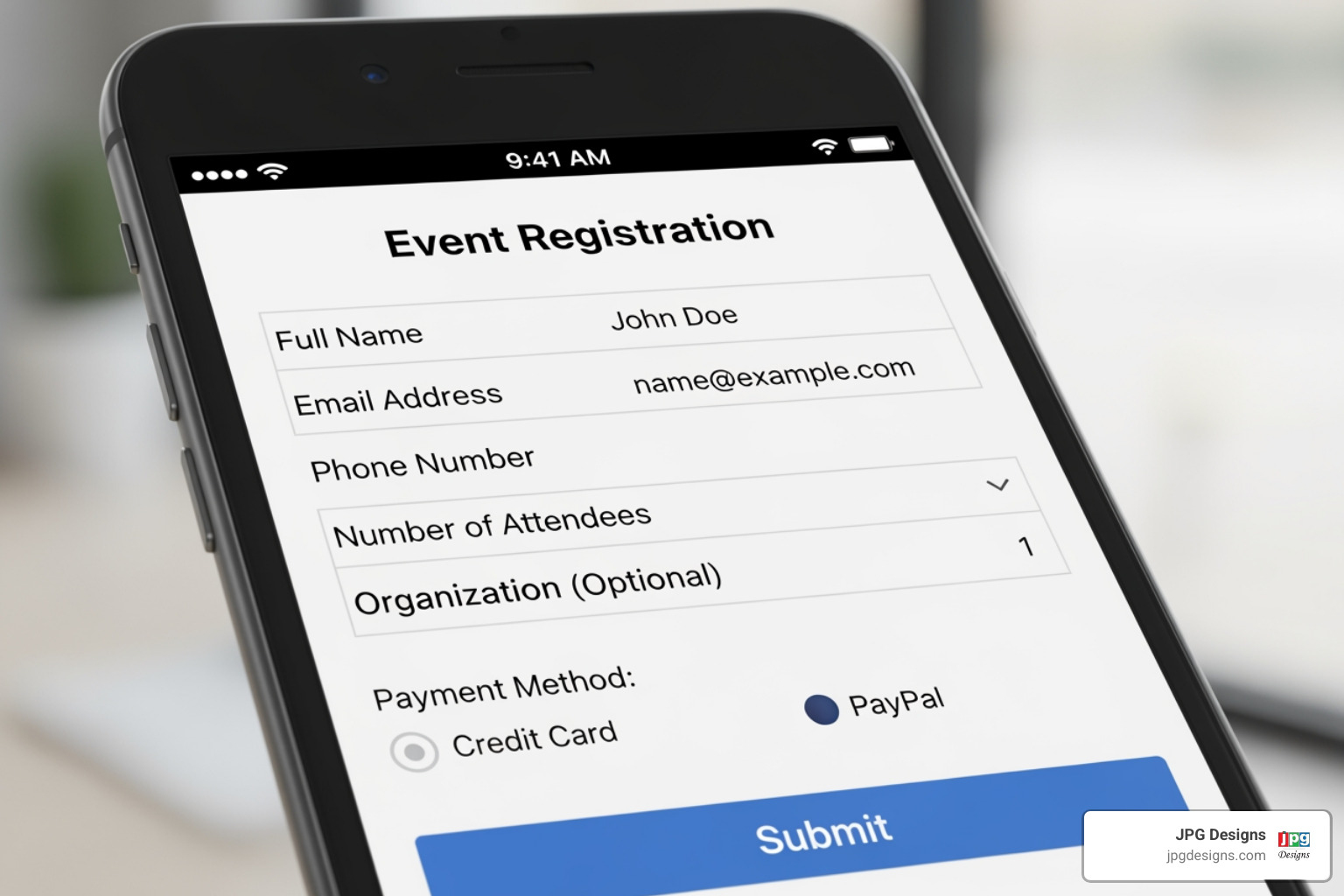
Mobile wallets now account for around half of e-commerce payment transactions, yet many registration forms are still designed for desktops first. This is a mistake. Your attendees are busy and often register on the go. If your event registration forms don’t work perfectly on a phone, you’re losing sign-ups.
Mobile-first design means thinking about thumbs, not mice. Buttons must be easy to tap, text must be readable without zooming, and the layout must adapt to small screens. These are not minor details; they’re the difference between a completed registration and an abandoned one. Google also prioritizes mobile-friendly websites in search rankings, so a poor mobile experience hurts your visibility. We build every form with mobile users in mind from the start.
Google Favoring Mobile-Friendly Websites
Responsive Web Design: A Must-Have for Modern Websites
Use Visuals to Showcase Your Event
People get excited by seeing what they’re signing up for. In fact, 82% of attendees prefer main-event images that clearly show an event’s vibe and atmosphere. They want to visualize themselves there.
High-quality images and videos on your event registration forms increase engagement and drive conversions. Seeing photos from last year’s event or a video of past speakers builds excitement and trust. The key is authenticity. Use visuals that represent your event’s unique energy, not generic stock photos. Just remember to optimize those images for fast loading, as slow visuals will hurt conversions.
What’s Best for My Website: Professional Photography or Stock Photos?
Key Features and Customization for Any Event
No two events are alike, so the event registration forms for a yoga retreat won’t work for a tech conference. Flexibility and scalability are essential. Your form should handle a small workshop today and a multi-day conference next year.
The features that matter most are conditional logic (showing questions based on answers), robust payment integration (handling discounts and packages), and automated confirmations. These transform a basic form into a powerful event management asset.
Customizing Your Event Registration Forms for Different Needs
Successful event registration forms start with understanding your event type. A corporate seminar in Providence needs different information than a charity 5K in Newport.
- Conferences: Need session selection, company details, and group registration.
- Webinars: Usually just require name, email, and job title.
- Workshops: Benefit from asking about skill levels or goals.
- Fundraisers: Need donation tiers and sponsorship options.
- Social gatherings: Require basic RSVPs, plus-one options, and meal choices.
The real power comes from ticketing tiers and conditional logic. You can offer early bird pricing that expires automatically or create VIP packages. Conditional logic adapts the form in real-time: if someone selects “vegetarian,” a question about specific needs appears. This collects necessary information without overwhelming the user.
This level of customization ensures your forms work efficiently while creating a smooth experience for every attendee.
Building from Scratch vs. Using a Template
Should you build a custom form or use a template? It depends on your goals.
Templates offer speed. They are pre-built for common scenarios, allowing you to launch registration quickly. For straightforward events like a single-day seminar in Pawtucket, templates are a practical choice. You can customize branding and fields and be ready to go.
Building from scratch offers control. Every element and data flow is designed to your exact specifications. This is crucial for complex events with multiple ticket types, intricate conditional logic, deep CRM integration, or highly specific branding. Custom builds are ideal for annual conferences or festivals where the registration experience is part of the brand promise.
We help businesses across Rhode Island find the right balance. Often, a heavily customized template offers the best of both worlds, balancing speed with personalization. The key is matching the solution to your actual needs.
Should I Attempt a DIY Website or Hire a Pro?
Security and Payments: Building Trust with Attendees
When you ask attendees for personal and payment information, they are rightfully cautious. Imposter scams cost billions, and online cart abandonment is high. Your event registration forms must radiate trustworthiness. A sketchy payment page doesn’t just lose a registration; it can damage trust in your entire event.
Secure Data and Payment Processing
Visual security cues make a huge difference in whether someone feels safe completing your event registration forms.
- SSL certificates are your first line of defense. They encrypt the connection (showing “https://”) and prevent hackers from intercepting data. We ensure every site we build has proper SSL protection.
- PCI compliance is mandatory if you process credit cards directly. This security standard protects cardholder data and keeps both you and your attendees safe.
- Trust badges, like payment gateway logos and security seals, are small visual reassurances that tell attendees your site is legitimate.
- Embedded checkout is crucial. Redirecting users to another site for payment can trigger alarm bells. Keeping the entire process on your site maintains security and continuity, reducing abandonment.
For our clients in Rhode Island, state data protection laws add another layer of importance, making these security measures essential for compliance.
Why Your Website Needs an SSL Certificate
RI Data Law Effecting Small Businesses
Integrating Mobile and Digital Wallets
Forcing a mobile user to manually enter a 16-digit credit card number is a major point of friction. Many will simply give up. This is why mobile wallets like Apple Pay and Google Pay are critical. These options now account for around half of e-commerce transactions. If your forms don’t support them, you’re creating unnecessary hassle for over half your potential attendees.
Digital wallets offer simplicity. Attendees can register in seconds with a fingerprint or face scan—no fumbling for cards or typing errors. This is especially important for busy professionals in areas like North Providence or Warwick, who need a frictionless process. Integrating these payment options isn’t just a nice feature; it’s an expectation. We recommend offering multiple payment options to give attendees choice and maximize conversions.
Offering mobile payment options is essential
Frequently Asked Questions about Event Registration
Creating effective event registration forms can feel overwhelming. We’ve helped countless clients, and these are the questions that come up most often.
What are the common pitfalls to avoid when creating event registration forms?
The most damaging mistake is asking too many questions. Every non-essential field creates friction and kills conversions. Other common pitfalls include:
- A poor mobile experience: If your form is unusable on a phone while someone is in Warwick, RI, you’ll lose the registration.
- Slow loading times: Even a fraction of a second can cause users to bounce.
- Lack of security indicators: No padlock icon or trust badges will make users hesitant to share payment information.
- An unclear call-to-action: Your button should be specific, like “Register Now,” not a vague “Submit.”
10 Web Design Red Flags That Scare Away Customers
How can I integrate my form with other marketing tools?
Powerful event registration forms talk to your other systems, automating your workflow. For an event in Providence, this means a registrant can be automatically added to your welcome sequence.
- Email Marketing Platforms: Connect to tools like Mailchimp or HubSpot to automatically add registrants to welcome sequences, send reminders, and deliver post-event surveys.
- CRM Systems: Integrate with your CRM to centralize attendee data—preferences, session choices, etc.—for your sales and support teams.
- Automation Tools: Use tools to connect your form to hundreds of other apps, triggering workflows that save hours of manual work.
- Data Export: At a minimum, ensure you can export data to a spreadsheet for analysis or manual import.
Centralizing information this way allows for targeted, personalized follow-up campaigns that resonate with your audience.
Best Email Marketing Software for Small Businesses
What’s the difference between a basic form and a fully customized solution?
This is a key decision. Both serve a purpose, but they meet very different needs.
A basic form is great for speed and simplicity. Using a template, you can quickly launch registration for straightforward events like a workshop in Cranston, RI, or simple ticket sales. You can add your logo, adjust colors, and collect essential information efficiently.
A fully customized solution is built from scratch for complex requirements. This includes sophisticated conditional logic, multi-stage registrations with variable pricing, group registration portals, and seamless brand integration. Payment processing is more flexible, handling discount codes, early bird pricing, and invoicing. The analytics are also deeper, providing insights into user behavior. Most importantly, custom solutions scale to handle any number of attendees, making them a necessity for large conferences or festivals.
We work with our Rhode Island clients to determine the right approach for their event, budget, and goals.
DIY vs. Free vs. Paid Ways to Drive More Traffic to Your Website
Conclusion
You now understand that event registration forms are powerful tools that can make or break your event. An attendee’s journey starts with your form. A smooth, professional, and secure experience wins their confidence, while a clunky or confusing one sends them to your competitors.
The key takeaways are simple:
- Keep forms simple and focused.
- Design with a mobile-first approach.
- Use compelling visuals to showcase your event.
- Prioritize security to build trust.
When you get these elements right, your forms boost conversions, improve your brand image, and simplify your event management. A well-designed registration process, whether for an event in Warwick or Providence, tells attendees you’ve thought through every detail.
At JPG Designs, we’ve spent over 15 years creating digital experiences that convert. We know what works and can help you avoid costly mistakes.
Ready to transform your event registration from a hurdle into a seamless, conversion-boosting experience? Let us help you create an outstanding online experience for your next event. Your future attendees will thank you.